 By Franctel Network Pvt. Ltd.
Analyzer-Lite
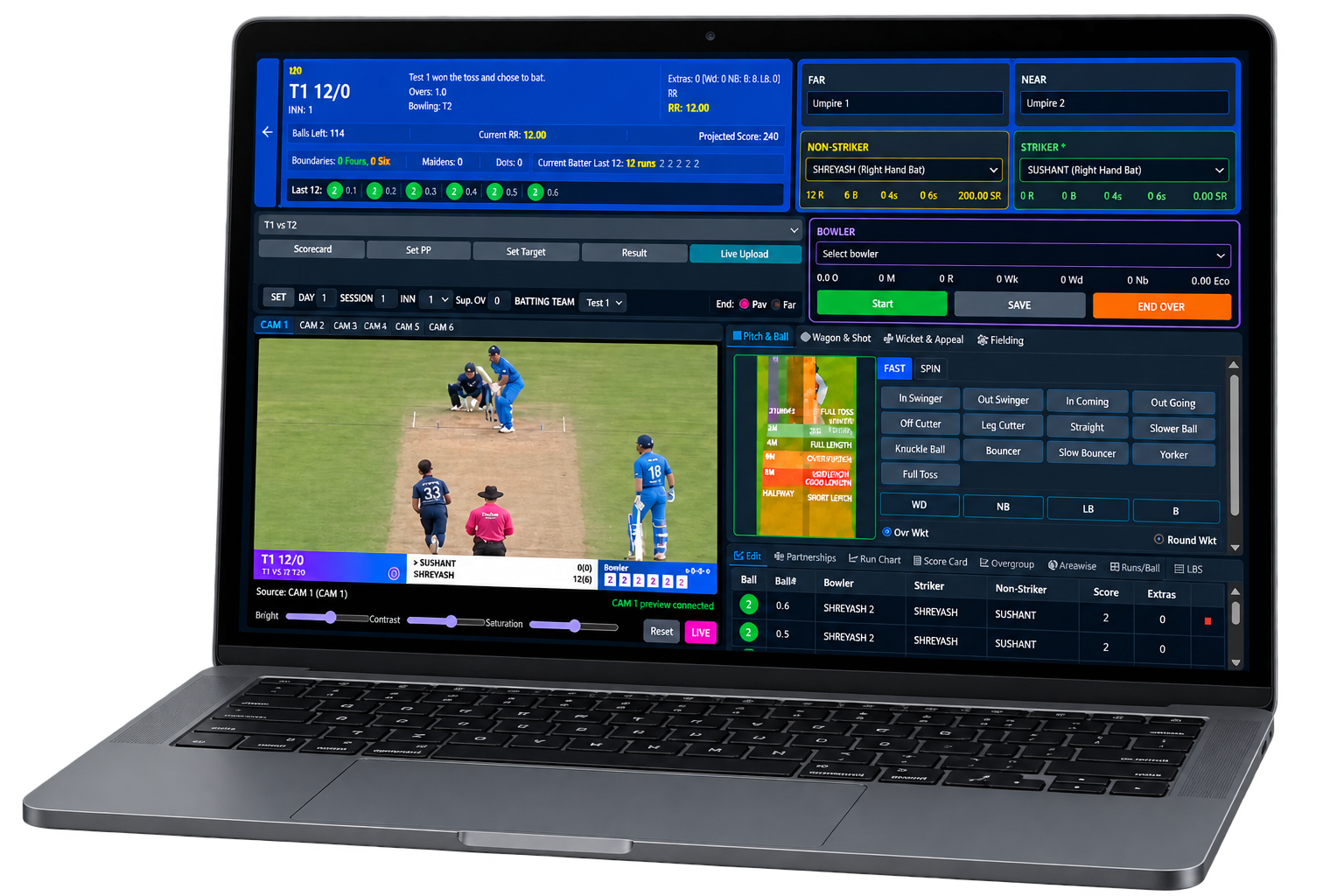
Analyzer-Lite brings ball-by-ball scoring, player statistics, team analysis and visual reports into one browser workspace. Explore match data through detailed breakdowns, comparisons and downloadable reports.
It brings together Analyzer and Crick-Analyzer data with Analyzer-Lite's online match capture and reporting workflow, giving users a connected view of cricket analysis and match information.
Designed for analysts & scorers, clubs & teams, cricket associations and tournament organisers.
Cricket Statistics with Detailed Analysis
More detail from every match you analyse.
Organised Match Data
Reuse teams and player records. Filter saved deliveries to build reports without rebuilding the same match information.
Detailed Statistics
Analyse runs, wickets, averages, strike rates and bowling economy. Explore player matchups and performance across selected matches.
Reports Ready to Share
Present player and team statistics through visual analysis, scorecards and downloadable PDFs. Export scorecards as CSV for further use.
From Individual Deliveries to the Whole Tournament
Manage match records, explore statistics and generate detailed analysis reports.
Teams & Match Setup
Manage players, teams, associations, tournaments, grounds and officials. Add players in bulk or from CSV, maintain player styles, select match squads and reuse records across fixtures.
Ball-by-Ball Scoring & Tagging
Capture runs, wickets, extras, delivery types, shots, fielding and decisions. Plot shot direction, pitch location and arrival position. Review and correct delivery history.
Match & Innings Control
Handle limited-overs and multi-day matches with innings, overs, powerplays, targets and Super Overs. Track days and sessions for longer games.
Detailed Player Analysis
Explore player vs player, ball-by-ball, shot, delivery and fielding reports, batting comfort, bowling spells, batting-order splits and boundary ratios.
Team Reports & Performance
Use Team Analysis, Match Center, statistics and KPI reports to review scorecards, partnerships and performance by phase or session.
Visual Analysis & Shot Maps
Read wagon wheels, line-and-length plots and beehive maps. Explore scoring areas, delivery patterns and batting and bowling distributions.
Import & Report Export
Import supported Analyzer match packages or legacy XML data. Download report PDFs and export scorecards as CSV.
Account Access & Score Sharing
Work in an account-specific workspace with administrator-managed access. Publish selected tournaments’ live scores and completed scorecards through CrickInsight when enabled.
Find the right view: filter reports by format, tournament, team, match, innings or player to focus charts, statistics and scorecards.
From Match Entry to Statistical Reports
Clear modules, familiar cricket terms and visual controls keep the workflow practical.
Sign In & Set Up
Open your account in a browser. In Masters, add or import players, teams and tournament details, then create your match.
Record the Action
Open Analyst Panel, select the match and innings, enter each ball’s score and tags, plot relevant locations and save.
Find the Pattern
Open Reports, apply filters and choose Player Analysis, Team Analysis, Match Center or KPI Analysis.
Review the Detail
Inspect shot maps, delivery patterns and player statistics. Use ball-by-ball reports to understand events behind the numbers.
Export & Share
Download a PDF report or CSV scorecard and share player statistics, team summaries and match analysis.
Why It Feels Easy to Use
✓ Dashboard shortcuts✓ Tabs & dropdowns✓ Click-based maps✓ Bulk player entry✓ Saved delivery correctionsAnalyse a Batter’s Tournament
Select the tournament, matches and batter. Review runs, balls faced, average and strike rate, inspect shot areas and results against different bowlers, then download the player analysis report.
Online edition requires an active account and internet connection. Report detail depends on scoring and tagging data entered. CrickInsight publishing requires the corresponding service to be configured.
Live Scores & Standings on CrickInsight
Give teams, organisers and supporters a public view of tournament live scores, match results and standings.
Choose the Tournament
In Analyzer, open Settings → CrickInsight and select the tournament you want to make public.
Enable Publication
Turn on Show this tournament on CrickInsight and save. Keep match scores and results up to date.
Open CrickInsight
Viewers open the published tournament, select a match for its live score or scorecard, and check the points table.
Match by Match — Live Score Viewing
- Follow runs, wickets and overs as updates are published.
- See chase target, runs required, balls remaining and required run rate where applicable.
- Review recent ball outcomes and batting/bowling scorecards.
- Find scheduled, live and completed matches.
Team by Team — Tournament Points Table
- View positions, matches played, wins, losses and points.
- Track ties, no-results and net run rate for supported limited-overs competitions.
- See draws, bonus points and run quotient in supported multi-day standings.
- Review each team’s results and points earned.
Publication control: choose which tournaments appear on CrickInsight and switch publication off when needed. Published scores can be viewed without an Analyzer account. Public viewing requires internet access and a configured CrickInsight service.